Small projects with a job to do and a story behind them. Three are free offline tools you can keep. VoiceBook is a private experiment you can explore through a mockup here.
A calendar and log for scheduled and actual parenting time, exchange details, and notes. Keep a record in your browser, then back it up, export it, or print it.
For parents who want their own clear record: what was scheduled, and what actually happened.
File
custody-ledger.html, 116 KB
Runs
Offline, in a desktop browser
Saves
In your browser. Back up as JSON.
Takes out
CSV, a JSON backup, or a printed month
A record-keeping tool. It doesn’t give legal advice or replace your court order or parenting plan.
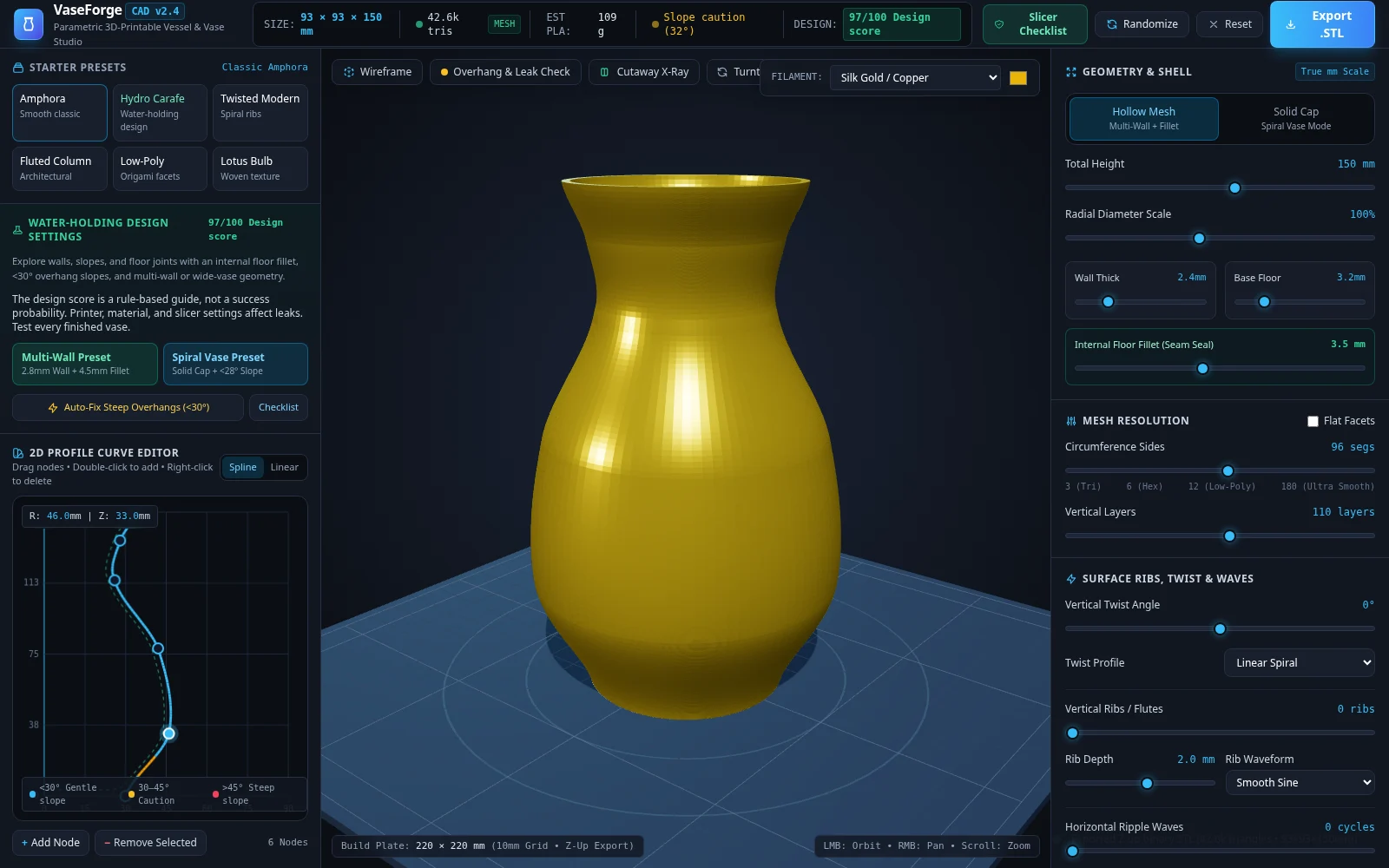
Choir-concert flowers needed a vase. A 3D-printed attempt leaked. That little experiment became a tool for shaping vases, adjusting their walls and bases, and exporting STL files.
The first vase leaked. This is the tool I wanted for the second try.
File
vase-studio.html, 760 KB
Runs
Offline, in a desktop browser with WebGL
Saves
Nothing between sessions. Export before you close.
Takes out
A binary STL, in millimeters
An experiment. A closed model doesn’t guarantee a watertight print, so check your vase for leaks.
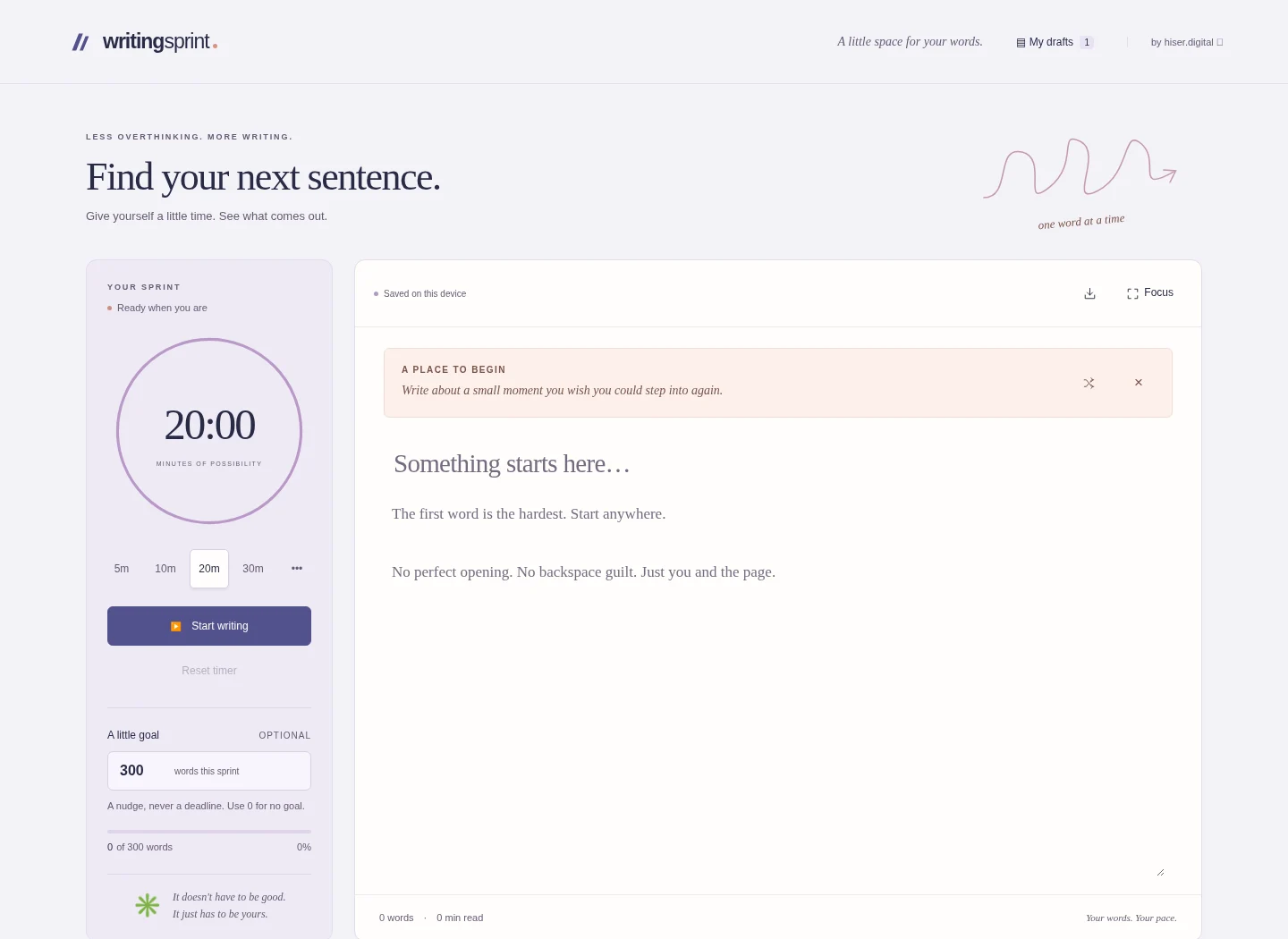
A focused timer, gentle prompts, and a place for your words. Set an optional goal, keep drafts in your browser, and download your writing as plain text.
A little time and a blank page, for a story, a memory, or whatever’s on your mind.
File
writing-sprint.html, 35 KB
Runs
Offline, in a desktop browser
Saves
Drafts in your browser. They don’t sync.
Takes out
Plain text (.txt)
Sprints of 5, 10, 20, or 30 minutes, or a custom length from 1 to 180.
A personal assistant that calls businesses to book or move appointments. It uses my cloned voice, introduces itself as AI, checks my calendar, and brings back a transcript and the details.
A little less on the list. And a closer look at what it takes to make an assistant useful on an ordinary phone call.
Format
A private web app
Handles
Booking, rescheduling, and calendar checks
Brings back
A transcript, appointment details, and notes
Explore
A fictional booking in the on-page mockup
Private project. No public calling demo or download. The mockup does not place calls or access a calendar.
Custody Ledger, VaseForge Studio, and Writing Sprint are each a single HTML file. Download one and it’s yours, with no account or installation. VoiceBook is a private web app, not a download.
Step 1
Download.
Save the .html file to your computer, somewhere you’ll find it again.
Step 2
Open.
Open it in a modern desktop browser. The tool runs from that file, even with no internet connection.
Step 3
Keep a copy.
What you enter lives in your browser, not inside the file. Back up or export anything you want to keep.
Sheet 03 / Good to knowPlain answers
Fair questions.
Why are the downloads single files?
A single file is easy to keep. There’s nothing to install and no account to make, and it still opens when you’re offline. If I stopped updating this site tomorrow, your copy would keep working.
Where does information in the downloads go?
It stays with you. Custody Ledger and Writing Sprint make no network requests and have no analytics. What you enter is kept in your browser’s storage until you back it up or export it. VaseForge Studio doesn’t save your design at all, so export an STL before you close it.
What happens to downloaded-tool data if I clear my browser?
Your entries can go with it. They’re stored in the browser, not in the HTML file, so clearing browser data, using private browsing, or moving the file can affect them. Keep using the same browser and file location, and back up regularly.
Do the downloads work on a phone?
The downloads are made for a desktop browser, and that’s where they work best.
Are the downloads really free?
Yes. Custody Ledger, VaseForge Studio, and Writing Sprint are yours to use. VoiceBook is a private project, with no public calling access.
Can I try VoiceBook?
You can walk through a fictional booking in the mockup on its project page. It does not place calls or connect to a calendar. The working app is private.
Will there be more?
I’ll add more here as I find needs worth building for.
One-offs are another place for my tinkerer’s mind to go. A project can be small and still be useful.
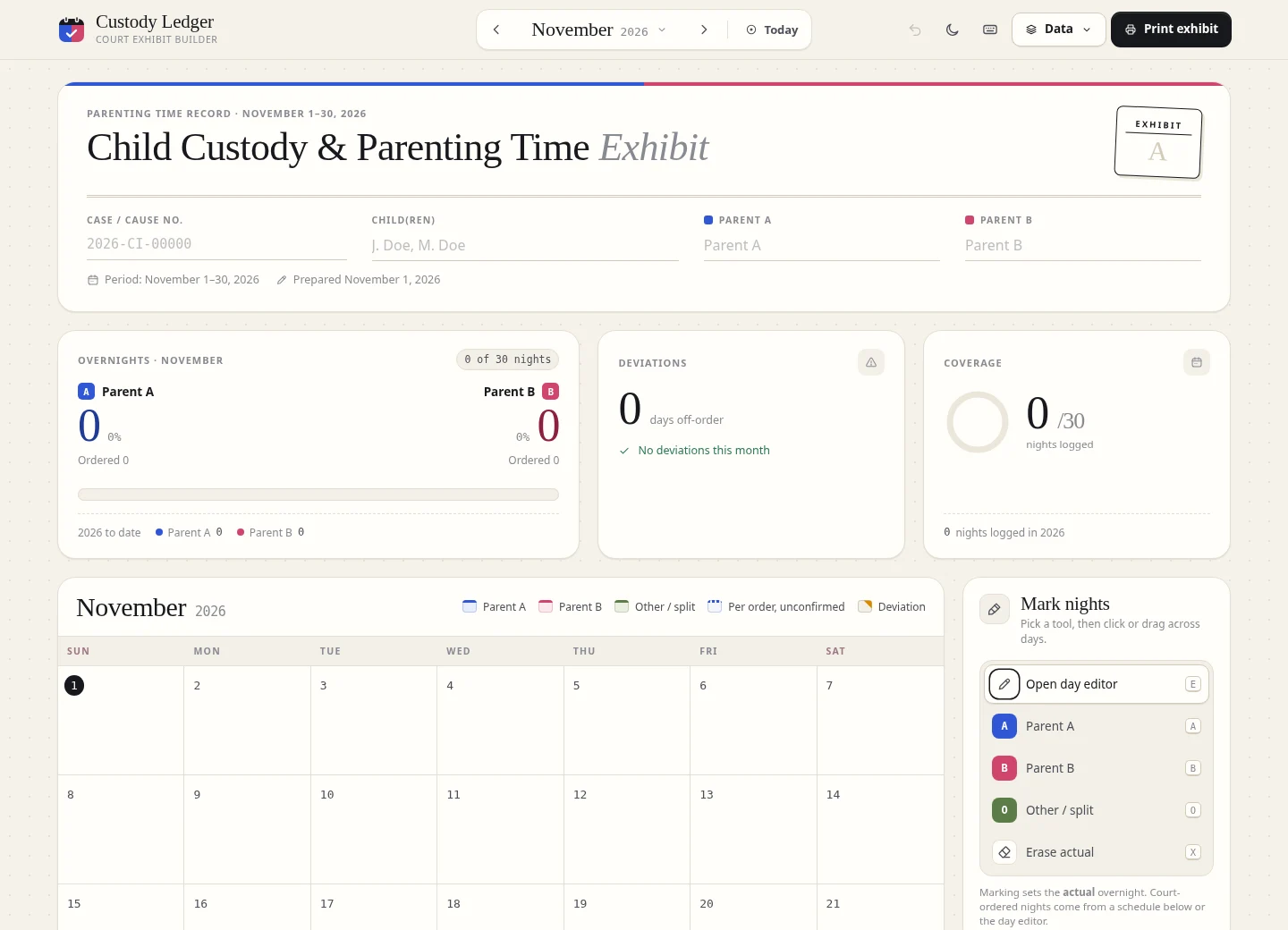 Fig. 1 / App preview